title
The title is the question people search for, in the customer's own words. Not a pun, but what they actually type.
The key point goes at the start of the title, because the end may be cut off in the results list.
A long-form video that answers the question people search for, and Shorts that bring in new viewers: from one shoot, with chapters, subtitles and a thumbnail.
Shorts vs. long-form video: the difference
A Short is a vertical or square video of up to 3 minutes. A 16:9 video counts as long-form even when it is short. Shorts bring in new viewers fast, while long-form video answers what your customer searches for: how it works, what to watch out for, what the difference is. This video also shows up in Google.
The platform keeps gaining weight in 2026: according to Alphabet's report for the second quarter of 2026, YouTube's advertising revenue was 11.1 billion dollars, 13 percent more than a year earlier, and during the 2026 FIFA World Cup more than 1.7 billion unique viewers watched videos related to the tournament. A business channel therefore needs both legs: Shorts deliver reach, long-form video delivers trust and searchability.
Shorts: where text and logo can go
 9:16
9:16On a YouTube Shorts video at 1080 × 1920 pixels, we place the subtitles and the logo in the central area of roughly 880 × 1050 pixels. We leave 290 pixels free at the top, 580 at the bottom, 60 on the left and 140 on the right, because that is where YouTube's own interface sits.
YouTube does not give pixel-exact values for the Shorts interface. This is our shooting grid, measured conservatively. The title and channel name sit at the bottom, so our own subtitles live in the upper half of the frame, away from the icon bar on the right.
YouTube is the second largest search engine. These five elements decide whether a video gets found.
The title is the question people search for, in the customer's own words. Not a pun, but what they actually type.
The key point goes at the start of the title, because the end may be cut off in the results list.
A separately designed thumbnail, not a random frame from the video.
Title and thumbnail together decide whether people click on the result.
The first two lines of the description are the answer, followed by the details, the links and the related videos.
Google also understands from this what the video is about, and shows it in the search result.
Chapters marked with timestamps, each answering one sub-question.
From the chapters, Google can lead straight to a specific part of the video, and viewers start where their interest lies.
Uploaded, corrected subtitles, not just the automatic ones.
This makes the video's text searchable, viewers without sound can follow along, and translating into other languages becomes easier.
Vertical client videos that also run as Shorts. Use the filter to pick a client.
| Band | Size | What covers it |
|---|---|---|
| Top | approx. 290 px | search, menu, sponsored label on ads |
| Bottom | approx. 580 px | channel, Subscribe button, title, music |
| Right | approx. 140 px | like, dislike, comment, share, remix |
| Left | approx. 60 px | screen edge |
Long-form video and Shorts from one day
The eight steps of a YouTube video
What makes up the proposal
The long-form 16:9 video is the backbone of the channel: an explainer, a demo or an interview, with chapters. From the same shoot, three Shorts are cut from the strongest moments, each with its own opening and subtitles, and the thumbnail is produced too. Shorts also come out of the TikTok and Reels shoot: the raw footage is shared, the edit is separate for each platform, without watermarks.
This way one shooting day delivers searchable long-form content and short, reach-building videos at the same time, and the channel does not go quiet between two bigger videos.
Eight steps for every video: script and shot list written for the question people search for; shooting in the studio or on location; editing, colour grading and sound mixing in long and short versions; subtitles; thumbnail; title, description and chapters; upload and channel setup (playlist, end screen); monthly report on views, retention and subscriptions.
We record the raw footage on dual memory cards and store it according to our data backup protocol, so new Shorts or a new edit can be made from it later.
We have no fixed monthly package for YouTube content: the quote is built from the length of the videos, the number of shooting days, the number of edited versions and the frequency, in a weekly, fortnightly or monthly rhythm, or on a project basis for a campaign or product launch. If the Shorts come from the TikTok and Reels production, we agree within the All-In content production how one shoot works for every platform.
Every format starts with a quote, and we begin the work after agreement. The package system and the terms of the 12, 24 and 36 month contracts can be found on the content production page.
The length of the videos, the number of shooting days and the number of edited versions decide it, which is why we give a custom quote for YouTube content, per shooting day and per video. In the boxes below you can see what comes with a YouTube video, and how TikTok, Instagram, Facebook and LinkedIn run together in All-In content production.
 Oloren Hub
We plan and schedule the monthly content in our own system, Oloren Hub. One calendar shows what goes out, when and on which channel, and you approve every post with one click.
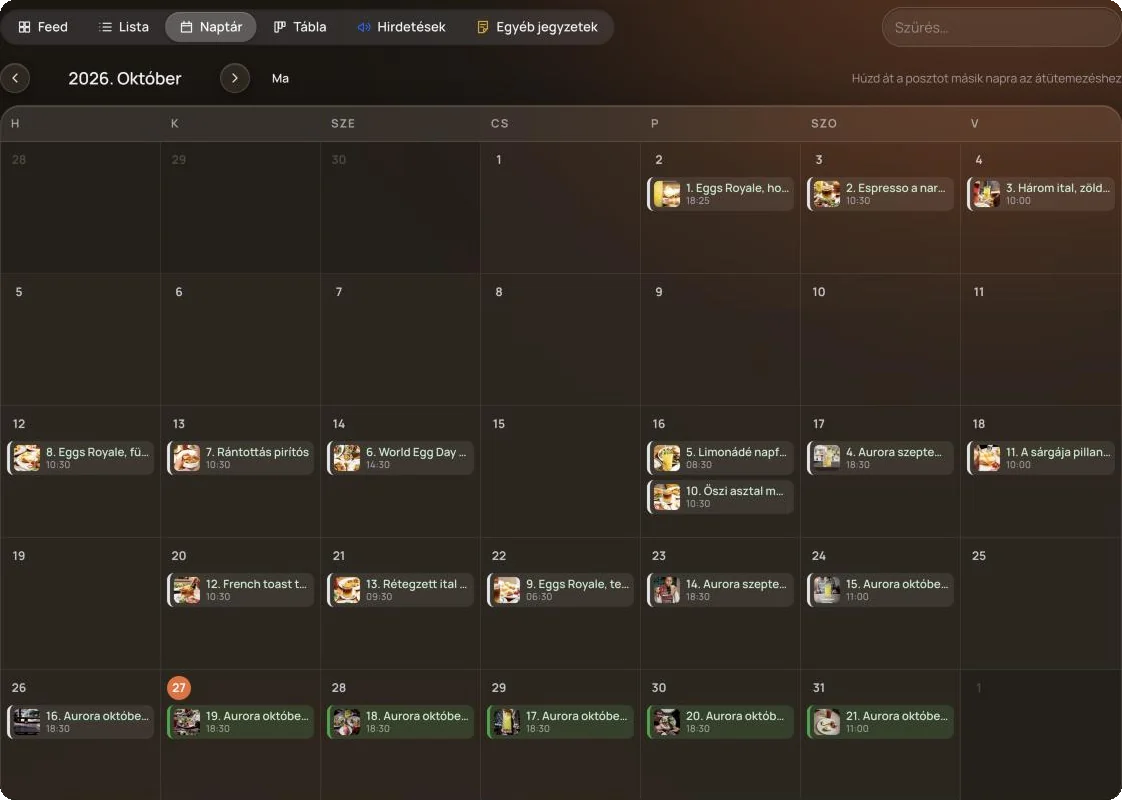
Oloren Hub
You watch the edit in Oloren Hub, right next to the post. Write down at which second you would change what, we upload the new version, and the conversation, versions and approval stay in one place until the video goes live.
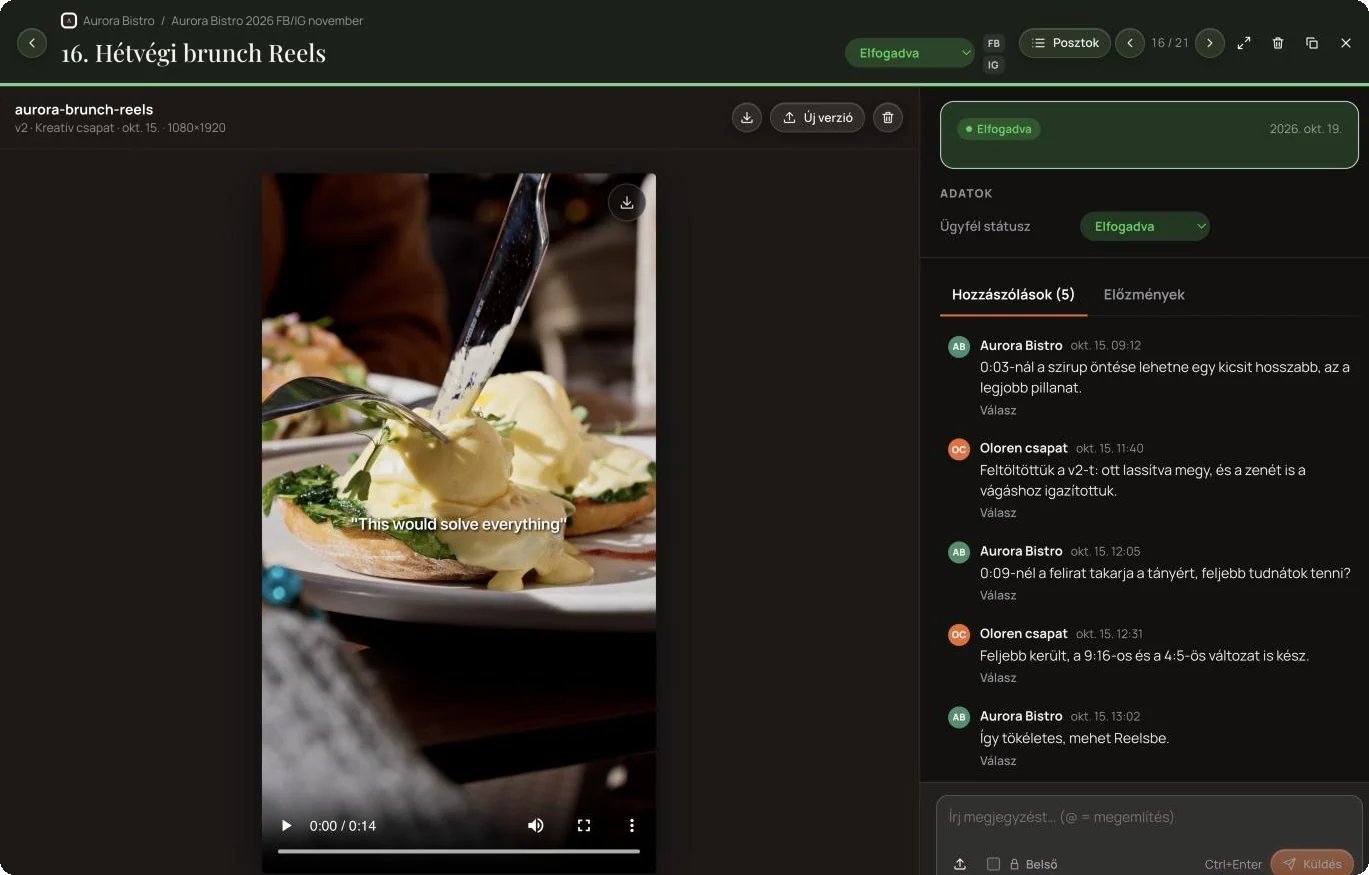
Every shot is recorded to two memory cards at once, and on the day of the shoot it exists in three copies, two of them in separate buildings. Fire, water or any other damage cannot take the footage.
We work with our own equipment: Sony FX3 and A7 IV cameras, Zeiss lenses, broadcast grade sound and light. Editing and grading happen in our own studio on 10 and 12 bit monitors calibrated every year.
Tell us what questions your customers search for and how often you would like a video, and we will get back to you with a quote. All work starts after agreement.
We built this software and use it every day ourselves.
 Built by Oloren
Cookie consent with Google Consent Mode v2: the banner asks for consent per service, passes the decision to Google, Meta, Microsoft, TikTok and Amazon, and logs every decision.
 Free checker
Free Google Consent Mode v2 checker: in 30 seconds it shows whether your website tells Google about your visitors’ consent.
 Free checker
Free cookie checker: in 30 seconds it shows which cookies land on a visitor’s device before they consent.
Our own project hub where clients follow and approve the work: post copy, photos and videos in one place, and approved posts go live on Facebook and Instagram from here.
Tell us how we can help and we will get back to you within one working day.
A service, reference, article, film or software